Neon Cyber Integration for Elastic
| Version | 0.4.0
|
| Managed integration release status | GA |
| Subscription level What's this? |
Basic |
| Developed by What's this? |
Partner |
| Ingestion method(s) | API |
| Minimum Kibana version(s) | 9.0.0 8.17.0 |
You can use this integration as an Elastic Managed integration on Elastic Cloud Hosted deployments running this version or later.
To use pre-release integrations, go to the Integrations page in Kibana, scroll down, and toggle on the Display beta integrations option.
The Neon Cyber integration for Elastic enables collection of workforce events and cybersecurity detections from the Neon API
The Neon Cyber integration collects log messages of the following types:
- Events including geo, navigation, auth, app, extensions, and platform
- Detections including compromised credentials, phishing, malware, and more
This integration requires you to generate a developer API key from the account settings of your Neon Cyber instance.
Elastic Agent must be installed. For more details, check the Elastic Agent installation instructions. You can install only one Elastic Agent per host.
Elastic Agent is required to stream data from the syslog or log file receiver and ship the data to Elastic, where the events will then be processed via the integration's ingest pipelines.
Elastic Managed integrations are only supported on Elastic Cloud Serverless and Elastic Cloud Hosted deployments. An Elastic Managed integration lets you ingest data from a cloud source while avoiding the orchestration, management, and maintenance associated with standard ingest infrastructure. Elastic runs the collector for you, so you can focus on your data instead of the infrastructure that collects it.
For more information, refer to Elastic Managed integrations and the Elastic Managed integrations FAQ.
Example
{
    "@timestamp": "2025-10-12T21:39:13.241Z",
    "agent": {
        "ephemeral_id": "4557466d-fe9d-488d-a8e8-2598d68ac9e8",
        "id": "9ccd0f38-920a-4eb6-ab60-4eb6163b537c",
        "name": "elastic-agent-78481",
        "type": "filebeat",
        "version": "8.17.0"
    },
    "client": {
        "as": {
            "number": 9105,
            "organization": {
                "name": "TalkTalk"
            }
        },
        "geo": {
            "city_name": "Brighton",
            "country_name": "GB",
            "location": {
                "lat": 11.1111,
                "lon": -0.111
            },
            "postal_code": "BN3",
            "region_iso_code": "BNH",
            "region_name": "Brighton and Hove"
        },
        "nat": {
            "ip": "192.0.2.1"
        }
    },
    "data_stream": {
        "dataset": "neon_cyber.events",
        "namespace": "67591",
        "type": "logs"
    },
    "ecs": {
        "version": "8.17.0"
    },
    "elastic_agent": {
        "id": "9ccd0f38-920a-4eb6-ab60-4eb6163b537c",
        "snapshot": false,
        "version": "8.17.0"
    },
    "event": {
        "agent_id_status": "verified",
        "category": [
            "network"
        ],
        "dataset": "neon_cyber.events",
        "ingested": "2025-11-06T04:12:07Z",
        "kind": "event",
        "original": "{\"agent\":\"1.2.4\",\"arch\":\"arm64\",\"asn\":9105,\"asn_isp\":\"TalkTalk\",\"auth_method\":\"userpass\",\"autofill\":true,\"city\":\"Brighton\",\"client_id\":\"d19143bd-3a34-4c7e-886b-87f643df4835\",\"country\":\"GB\",\"deployment_id\":\"ec080215-913c-490c-bb81-a1baa311ee45\",\"description\":\"User authenticated using userpass for https://www.bluthfamily.biz\",\"display\":\"Chrome\",\"email\":\"barry@bluthfamily.biz\",\"event_timestamp\":\"2025-10-12T21:39:13.241+00:00\",\"event_type\":\"auth\",\"id\":\"95cf3375-6a70-4366-9a4d-8bb602b0d7c9\",\"inserted_at\":\"2025-10-13T18:13:17.312372+00:00\",\"ip\":\"192.0.2.1\",\"ip_latitude\":11.1111,\"ip_longitude\":-0.111,\"latitude\":11.1111,\"longitude\":-0.111,\"name\":\"chrome\",\"os\":\"linux\",\"postal_code\":\"BN3\",\"region_code\":\"BNH\",\"region_name\":\"Brighton and Hove\",\"registration_id\":\"a00db187-ad55-4074-8a84-d085555abe29\",\"ua\":\"Mozilla/5.0 (X11; Linux aarch64) AppleWebKit/537.36 (KHTML, like Gecko) Chrome/134.0.0.0 Safari/537.36\",\"updated_at\":\"2025-10-13T18:13:17.312372+00:00\",\"url\":\"https://www.bluthfamily.biz\",\"version\":\"134.0.0.0\"}",
        "type": [
            "info"
        ]
    },
    "host": {
        "architecture": "arm64",
        "geo": {
            "location": {
                "lat": 11.1111,
                "lon": -0.111
            }
        },
        "os": {
            "platform": "linux"
        }
    },
    "input": {
        "type": "cel"
    },
    "neon_cyber": {
        "events": {
            "agent": "1.2.4",
            "auth_method": "userpass",
            "autofill": true,
            "client_id": "d19143bd-3a34-4c7e-886b-87f643df4835",
            "deployment_id": "ec080215-913c-490c-bb81-a1baa311ee45",
            "description": "User authenticated using userpass for https://www.bluthfamily.biz",
            "display": "Chrome",
            "email": "barry@bluthfamily.biz",
            "event_timestamp": "2025-10-12T21:39:13.241Z",
            "event_type": "auth",
            "id": "95cf3375-6a70-4366-9a4d-8bb602b0d7c9",
            "registration_id": "a00db187-ad55-4074-8a84-d085555abe29",
            "url": "https://www.bluthfamily.biz"
        }
    },
    "tags": [
        "preserve_original_event",
        "forwarded",
        "neon_cyber-events"
    ],
    "user_agent": {
        "name": "chrome",
        "original": "Mozilla/5.0 (X11; Linux aarch64) AppleWebKit/537.36 (KHTML, like Gecko) Chrome/134.0.0.0 Safari/537.36",
        "version": "134.0.0.0"
    }
}
Exported fields
| Field | Description | Type |
|---|---|---|
| @timestamp | Date/time when the event originated. This is the date/time extracted from the event, typically representing when the event was generated by the source. If the event source has no original timestamp, this value is typically populated by the first time the event was received by the pipeline. Required field for all events. | date |
| data_stream.dataset | The field can contain anything that makes sense to signify the source of the data. Examples include nginx.access, prometheus, endpoint etc. For data streams that otherwise fit, but that do not have dataset set we use the value "generic" for the dataset value. event.dataset should have the same value as data_stream.dataset. Beyond the Elasticsearch data stream naming criteria noted above, the dataset value has additional restrictions: * Must not contain - * No longer than 100 characters |
constant_keyword |
| data_stream.namespace | A user defined namespace. Namespaces are useful to allow grouping of data. Many users already organize their indices this way, and the data stream naming scheme now provides this best practice as a default. Many users will populate this field with default. If no value is used, it falls back to default. Beyond the Elasticsearch index naming criteria noted above, namespace value has the additional restrictions: * Must not contain - * No longer than 100 characters |
constant_keyword |
| data_stream.type | An overarching type for the data stream. Currently allowed values are "logs" and "metrics". We expect to also add "traces" and "synthetics" in the near future. | constant_keyword |
| ecs.version | ECS version this event conforms to. ecs.version is a required field and must exist in all events. When querying across multiple indices -- which may conform to slightly different ECS versions -- this field lets integrations adjust to the schema version of the events. |
keyword |
| event.dataset | Name of the dataset. If an event source publishes more than one type of log or events (e.g. access log, error log), the dataset is used to specify which one the event comes from. It's recommended but not required to start the dataset name with the module name, followed by a dot, then the dataset name. | constant_keyword |
| event.module | Name of the module this data is coming from. If your monitoring agent supports the concept of modules or plugins to process events of a given source (e.g. Apache logs), event.module should contain the name of this module. |
constant_keyword |
| input.type | Type of filebeat input. | keyword |
| log.offset | Log offset. | long |
| neon_cyber.events.agent | The version of the Neon agent. | keyword |
| neon_cyber.events.arch | The device architecture. | keyword |
| neon_cyber.events.asn | The ASN of the egress ip. | long |
| neon_cyber.events.asn_isp | The ISP owner of the ASN. | keyword |
| neon_cyber.events.auth_method | The method of authentication. | keyword |
| neon_cyber.events.autofill | Was autofill used to authenticate. | boolean |
| neon_cyber.events.catalog_id | The SaaS app catalog id when the event triggered if applicable. | keyword |
| neon_cyber.events.catalog_name | The SaaS app name when the event triggered if applicable. | keyword |
| neon_cyber.events.city | The geo-ip city of the egress ip. | keyword |
| neon_cyber.events.client_id | The clients unique id. | keyword |
| neon_cyber.events.country | The geo-ip country code of the egress ip. | keyword |
| neon_cyber.events.cumulative | The total time spent using the application in seconds. | long |
| neon_cyber.events.danger | The safe browsing classification of the download event. | keyword |
| neon_cyber.events.deployment_id | The deployment id of the user. | keyword |
| neon_cyber.events.description | The description of the event. | keyword |
| neon_cyber.events.display | The display name of the browser vendor. | keyword |
| neon_cyber.events.domains | The domains associated with the event. | keyword |
| neon_cyber.events.download_id | The download id of the browser tab that triggered the download event. | long |
| neon_cyber.events.email | The email associated with the authentication event. | keyword |
| neon_cyber.events.end_timestamp | The end timestamp of the application usage. | date |
| neon_cyber.events.event_timestamp | The timestamp of the event. | date |
| neon_cyber.events.event_type | The Neon specific event type. | keyword |
| neon_cyber.events.ext_description | The description of the installed extension. | keyword |
| neon_cyber.events.ext_enabled | Is the extensions enabled in the browser. | boolean |
| neon_cyber.events.ext_host_permissions | The extensions requested host permissions. | keyword |
| neon_cyber.events.ext_id | The extension id of the installed extension. | keyword |
| neon_cyber.events.ext_install_type | The way the extension was installed. | keyword |
| neon_cyber.events.ext_name | The extension name of the installed extension. | keyword |
| neon_cyber.events.ext_permissions | The extensions requested permissions. | keyword |
| neon_cyber.events.extensions.description | The description of the installed extension. | keyword |
| neon_cyber.events.extensions.enabled | Is the installed extension enabled. | boolean |
| neon_cyber.events.extensions.homepageUrl | The homepage of the installed extension. | keyword |
| neon_cyber.events.extensions.hostPermissions | The install type of the installed extension. | keyword |
| neon_cyber.events.extensions.id | The id of the installed extension. | keyword |
| neon_cyber.events.extensions.installType | The install type of the installed extension. | keyword |
| neon_cyber.events.extensions.name | The name of the installed extension. | keyword |
| neon_cyber.events.extensions.permissions | The install type of the installed extension. | keyword |
| neon_cyber.events.filehash | The file has of the uploaded file. | keyword |
| neon_cyber.events.filename | The file name of the download event. | keyword |
| neon_cyber.events.frame_id | The frame id of the browser tab that triggered the event. | long |
| neon_cyber.events.id | Unique id of the event. | keyword |
| neon_cyber.events.incognito | Was the browser in incognito mode when the event triggered. | boolean |
| neon_cyber.events.ip | The egress ip address of the device. | ip |
| neon_cyber.events.ip_latitude | The geo-ip latitude of the egress ip. | float |
| neon_cyber.events.ip_longitude | The geo-ip longitude of the egress ip. | float |
| neon_cyber.events.latitude | The browser-reported latitude of the device. | float |
| neon_cyber.events.login | Was an account login present during the authentication event. | boolean |
| neon_cyber.events.longitude | The browser-reported longitude of the device. | float |
| neon_cyber.events.mfa | Was mfa used during the authentication event. | boolean |
| neon_cyber.events.mime | The file mime type of the download event. | keyword |
| neon_cyber.events.name | The short name of the browser vendor. | keyword |
| neon_cyber.events.os | The operating system of the device. | keyword |
| neon_cyber.events.parent_frame_id | The parent frame id that triggered the event. | long |
| neon_cyber.events.postal_code | The geo-ip postal code of the egress ip. | keyword |
| neon_cyber.events.referrer | The referrer of the page that triggered the event. | keyword |
| neon_cyber.events.region_code | The geo-ip region or state code of the egress ip. | keyword |
| neon_cyber.events.region_name | The geo-ip region or state of the egress ip. | keyword |
| neon_cyber.events.registration_id | The browsers unique registration id. | keyword |
| neon_cyber.events.start_timestamp | The start timestamp of the application usage. | date |
| neon_cyber.events.tab_id | The tab id of the browser tab that triggered the event. | long |
| neon_cyber.events.total_bytes | The file size of the downloaded file. | long |
| neon_cyber.events.ua | The User-Agent of the browser. | keyword |
| neon_cyber.events.url | The page url of the tab that triggered the event. | keyword |
| neon_cyber.events.version | The version of the browser. | keyword |
Example
{
    "@timestamp": "2025-10-10T17:09:32.988Z",
    "agent": {
        "ephemeral_id": "0ea008fb-25c6-4e96-a0cb-580156905c33",
        "id": "b328b57b-9887-4a4a-a714-81cc1c317559",
        "name": "elastic-agent-75127",
        "type": "filebeat",
        "version": "8.17.0"
    },
    "client": {
        "as": {
            "number": 9105,
            "organization": {
                "name": "TalkTalk"
            }
        },
        "geo": {
            "city_name": "Brighton",
            "country_name": "GB",
            "location": {
                "lat": 11.1111,
                "lon": -0.111
            },
            "postal_code": "BN3",
            "region_iso_code": "BNH",
            "region_name": "Brighton and Hove"
        },
        "nat": {
            "ip": "192.0.2.1"
        }
    },
    "data_stream": {
        "dataset": "neon_cyber.detections",
        "namespace": "11517",
        "type": "logs"
    },
    "ecs": {
        "version": "8.17.0"
    },
    "elastic_agent": {
        "id": "b328b57b-9887-4a4a-a714-81cc1c317559",
        "snapshot": false,
        "version": "8.17.0"
    },
    "event": {
        "agent_id_status": "verified",
        "category": [
            "network"
        ],
        "dataset": "neon_cyber.detections",
        "ingested": "2025-11-06T04:11:02Z",
        "kind": "alert",
        "original": "{\"agent\":\"1.2.4\",\"arch\":\"arm64\",\"asn\":9105,\"asn_isp\":\"TalkTalk\",\"city\":\"Brighton\",\"client_id\":\"d19143bd-3a34-4c7e-886b-87f643df4835\",\"country\":\"GB\",\"deployment_id\":\"ec080215-913c-490c-bb81-a1baa311ee45\",\"description\":null,\"detection_subtype\":null,\"detection_timestamp\":\"2025-10-10T17:09:32.988+00:00\",\"detection_type\":\"phishing\",\"display\":\"Chrome\",\"id\":\"c24b2526-11e4-48bf-af45-f6837232037f\",\"incognito\":false,\"inserted_at\":\"2025-10-13T18:13:15.88219+00:00\",\"ip\":\"192.0.2.1\",\"ip_latitude\":11.1111,\"ip_longitude\":-0.111,\"latitude\":11.1111,\"longitude\":-0.111,\"name\":\"chrome\",\"os\":\"linux\",\"postal_code\":\"BN3\",\"region_code\":\"BNH\",\"region_name\":\"Brighton and Hove\",\"registration_id\":\"a00db187-ad55-4074-8a84-d085555abe29\",\"source\":\"Phishing AI\",\"tab_id\":12345,\"ua\":\"Mozilla/5.0 (X11; Linux aarch64) AppleWebKit/537.36 (KHTML, like Gecko) Chrome/134.0.0.0 Safari/537.36\",\"updated_at\":\"2025-10-13T18:13:15.88219+00:00\",\"url\":\"https://click.this.link.banckcorp.com\",\"version\":\"134.0.0.0\"}",
        "type": [
            "info"
        ]
    },
    "host": {
        "architecture": "arm64",
        "geo": {
            "location": {
                "lat": 11.1111,
                "lon": -0.111
            }
        },
        "os": {
            "platform": "linux"
        }
    },
    "input": {
        "type": "cel"
    },
    "neon_cyber": {
        "detections": {
            "agent": "1.2.4",
            "client_id": "d19143bd-3a34-4c7e-886b-87f643df4835",
            "deployment_id": "ec080215-913c-490c-bb81-a1baa311ee45",
            "detection_timestamp": "2025-10-10T17:09:32.988Z",
            "detection_type": "phishing",
            "display": "Chrome",
            "id": "c24b2526-11e4-48bf-af45-f6837232037f",
            "incognito": false,
            "registration_id": "a00db187-ad55-4074-8a84-d085555abe29",
            "source": "Phishing AI",
            "tab_id": 12345,
            "url": "https://click.this.link.banckcorp.com"
        }
    },
    "tags": [
        "preserve_original_event",
        "forwarded",
        "neon_cyber-detections"
    ],
    "url": {
        "domain": "click.this.link.banckcorp.com",
        "original": "https://click.this.link.banckcorp.com",
        "scheme": "https"
    },
    "user_agent": {
        "name": "chrome",
        "original": "Mozilla/5.0 (X11; Linux aarch64) AppleWebKit/537.36 (KHTML, like Gecko) Chrome/134.0.0.0 Safari/537.36",
        "version": "134.0.0.0"
    }
}
Exported fields
| Field | Description | Type |
|---|---|---|
| @timestamp | Date/time when the event originated. This is the date/time extracted from the event, typically representing when the event was generated by the source. If the event source has no original timestamp, this value is typically populated by the first time the event was received by the pipeline. Required field for all events. | date |
| data_stream.dataset | The field can contain anything that makes sense to signify the source of the data. Examples include nginx.access, prometheus, endpoint etc. For data streams that otherwise fit, but that do not have dataset set we use the value "generic" for the dataset value. event.dataset should have the same value as data_stream.dataset. Beyond the Elasticsearch data stream naming criteria noted above, the dataset value has additional restrictions: * Must not contain - * No longer than 100 characters |
constant_keyword |
| data_stream.namespace | A user defined namespace. Namespaces are useful to allow grouping of data. Many users already organize their indices this way, and the data stream naming scheme now provides this best practice as a default. Many users will populate this field with default. If no value is used, it falls back to default. Beyond the Elasticsearch index naming criteria noted above, namespace value has the additional restrictions: * Must not contain - * No longer than 100 characters |
constant_keyword |
| data_stream.type | An overarching type for the data stream. Currently allowed values are "logs" and "metrics". We expect to also add "traces" and "synthetics" in the near future. | constant_keyword |
| ecs.version | ECS version this event conforms to. ecs.version is a required field and must exist in all events. When querying across multiple indices -- which may conform to slightly different ECS versions -- this field lets integrations adjust to the schema version of the events. |
keyword |
| event.dataset | Name of the dataset. If an event source publishes more than one type of log or events (e.g. access log, error log), the dataset is used to specify which one the event comes from. It's recommended but not required to start the dataset name with the module name, followed by a dot, then the dataset name. | constant_keyword |
| event.module | Name of the module this data is coming from. If your monitoring agent supports the concept of modules or plugins to process events of a given source (e.g. Apache logs), event.module should contain the name of this module. |
constant_keyword |
| input.type | Type of filebeat input. | keyword |
| log.offset | Log offset. | long |
| neon_cyber.detections.action | The action of the form. | keyword |
| neon_cyber.detections.agent | The neon agent version. | keyword |
| neon_cyber.detections.arch | The device architecture. | keyword |
| neon_cyber.detections.asn | The ASN of the egress ip. | long |
| neon_cyber.detections.asn_isp | The ISP owner of the ASN. | keyword |
| neon_cyber.detections.autofill | Was the password autofilled into the form. | boolean |
| neon_cyber.detections.catalog_id | The catalog id of the target SaaS app. | keyword |
| neon_cyber.detections.city | The geo-ip city of the egress ip. | keyword |
| neon_cyber.detections.client_id | The clients unique id. | keyword |
| neon_cyber.detections.compromised | Is the password compromised. | boolean |
| neon_cyber.detections.country | The geo-ip country code of the egress ip. | keyword |
| neon_cyber.detections.danger | The safe-browsing danger level of the downloaded file. | keyword |
| neon_cyber.detections.deployment_id | The deployment id of the user. | keyword |
| neon_cyber.detections.description | The description of the detection. | keyword |
| neon_cyber.detections.detection_subtype | The Neon specific detection subtype. | keyword |
| neon_cyber.detections.detection_timestamp | The timestamp of the detection. | date |
| neon_cyber.detections.detection_type | The Neon specific detection type. | keyword |
| neon_cyber.detections.display | The display name of the browser vendor. | keyword |
| neon_cyber.detections.email | The email address used in the form. | keyword |
| neon_cyber.detections.filename | The filename of the file that triggered the detection. | keyword |
| neon_cyber.detections.id | Unique id of the event. | keyword |
| neon_cyber.detections.incognito | Was the browser in incognito mode when the detection triggered. | boolean |
| neon_cyber.detections.ip | The egress ip address of the device. | ip |
| neon_cyber.detections.ip_latitude | The geo-ip latitude of the egress ip. | float |
| neon_cyber.detections.ip_longitude | The geo-ip longitude of the egress ip. | float |
| neon_cyber.detections.latitude | The browser-reported latitude of the device. | float |
| neon_cyber.detections.longitude | The browser-reported longitude of the device. | float |
| neon_cyber.detections.mime | The mime type of the file that triggered the detection. | keyword |
| neon_cyber.detections.name | The short name of the browser vendor. | keyword |
| neon_cyber.detections.os | The operating system of the device. | keyword |
| neon_cyber.detections.password | A password was entered into the form. | boolean |
| neon_cyber.detections.pii | PII was detected in the submitted form. | boolean |
| neon_cyber.detections.postal_code | The geo-ip postal code of the egress ip. | keyword |
| neon_cyber.detections.referrer | The referrer of the url that triggered the detection. | keyword |
| neon_cyber.detections.region_code | The geo-ip region or state code of the egress ip. | keyword |
| neon_cyber.detections.region_name | The geo-ip region or state of the egress ip. | keyword |
| neon_cyber.detections.registration_id | The browsers unique registration id. | keyword |
| neon_cyber.detections.source | The detection source. | keyword |
| neon_cyber.detections.tab_id | The tab id that triggered the detection. | long |
| neon_cyber.detections.total_bytes | The size of the downloaded file. | long |
| neon_cyber.detections.ua | The User-Agent of the browser. | keyword |
| neon_cyber.detections.url | The page url of the tab that triggered the detection. | keyword |
| neon_cyber.detections.version | The version of the browser. | keyword |
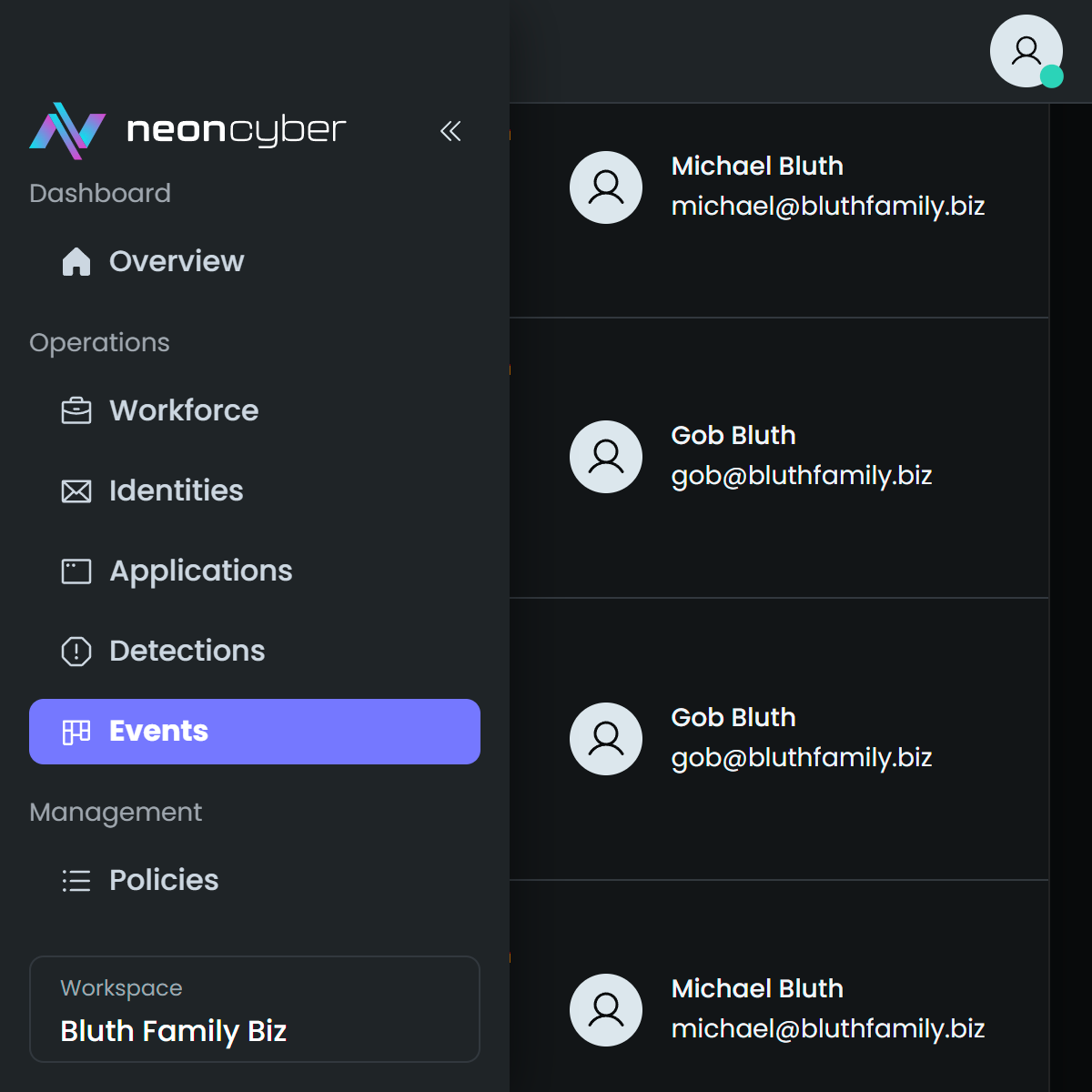
This integration includes one or more Kibana dashboards that visualizes the data collected by the integration. The screenshots below illustrate how the ingested data is displayed.
Changelog
| Version | Details | Minimum Kibana version |
|---|---|---|
| 0.4.0 | Enhancement (View pull request) Update Elastic Managed integration documentation to the current wording and docs links. |
9.0.0 8.17.0 |
| 0.3.0 | Enhancement (View pull request) Add tags to ingest pipeline processors and add preserve_original_event to pipeline-level on_failure handlers. |
9.0.0 8.17.0 |
| 0.2.1 | Enhancement (View pull request) Set agentless deployment mode release field to ga. |
9.0.0 8.17.0 |
| 0.2.0 | Enhancement (View pull request) Use new release field for agentless deployment mode to establish as beta. |
9.0.0 8.17.0 |
| 0.1.0 | Enhancement (View pull request) Initial version of the package. |
9.0.0 8.17.0 |